
What's New
Add any product to your stack with just its link. We'll find the details for you.
That store brand tub in your locker? The electrolytes your coach handed out? Put it all on your stack, so your routine and reminders cover everything you take.
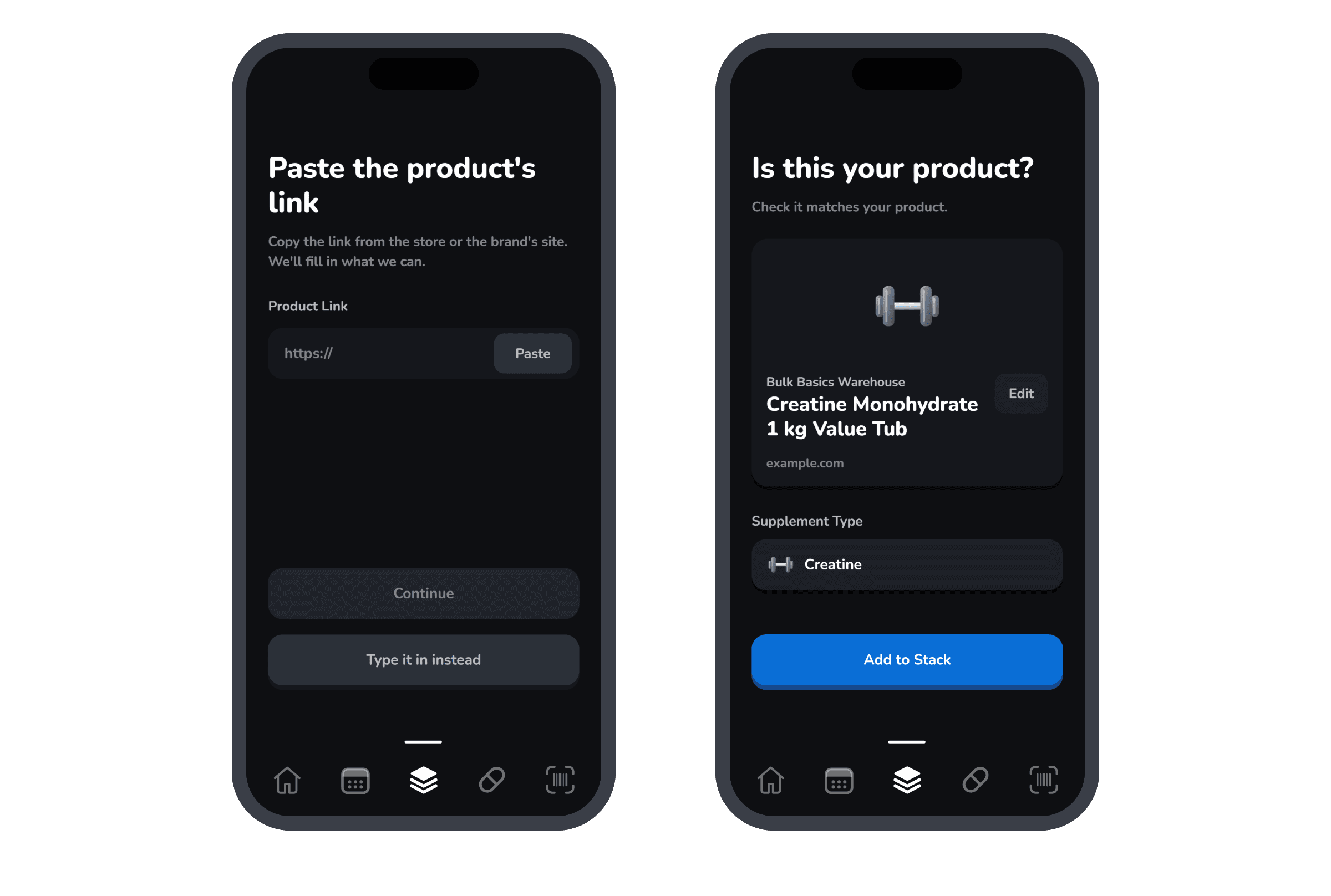
- Copy the link from the store or the brand's site.
- Paste it into Varsity Stack. We read the page.
- Tap Add to Stack. Done.
Even faster: share it from your browser
Skip the copy and paste. You can send a product straight to Varsity Stack from Safari, Chrome or a store's app.
- Open the product's page in your browser or the store's app.
- Tap Share. On iPhone it's the square with an arrow. On Android it's the three connected dots.
- Pick Varsity Stack. Don't see it? Scroll the row of apps and tap More.
- Check the details and tap Add to Stack. We'll have found them for you.
Want to know if a product is certified before you buy it? Scan its barcode in the app.